This article shows the process of an Instant Employment Verification Check for candidates.
It guides you in assisting candidates. Please do not share this link with them. They possess their own knowledge base at https://knowledge.verifile.co.uk.
Note: The candidate should enable pop-ups for this site.
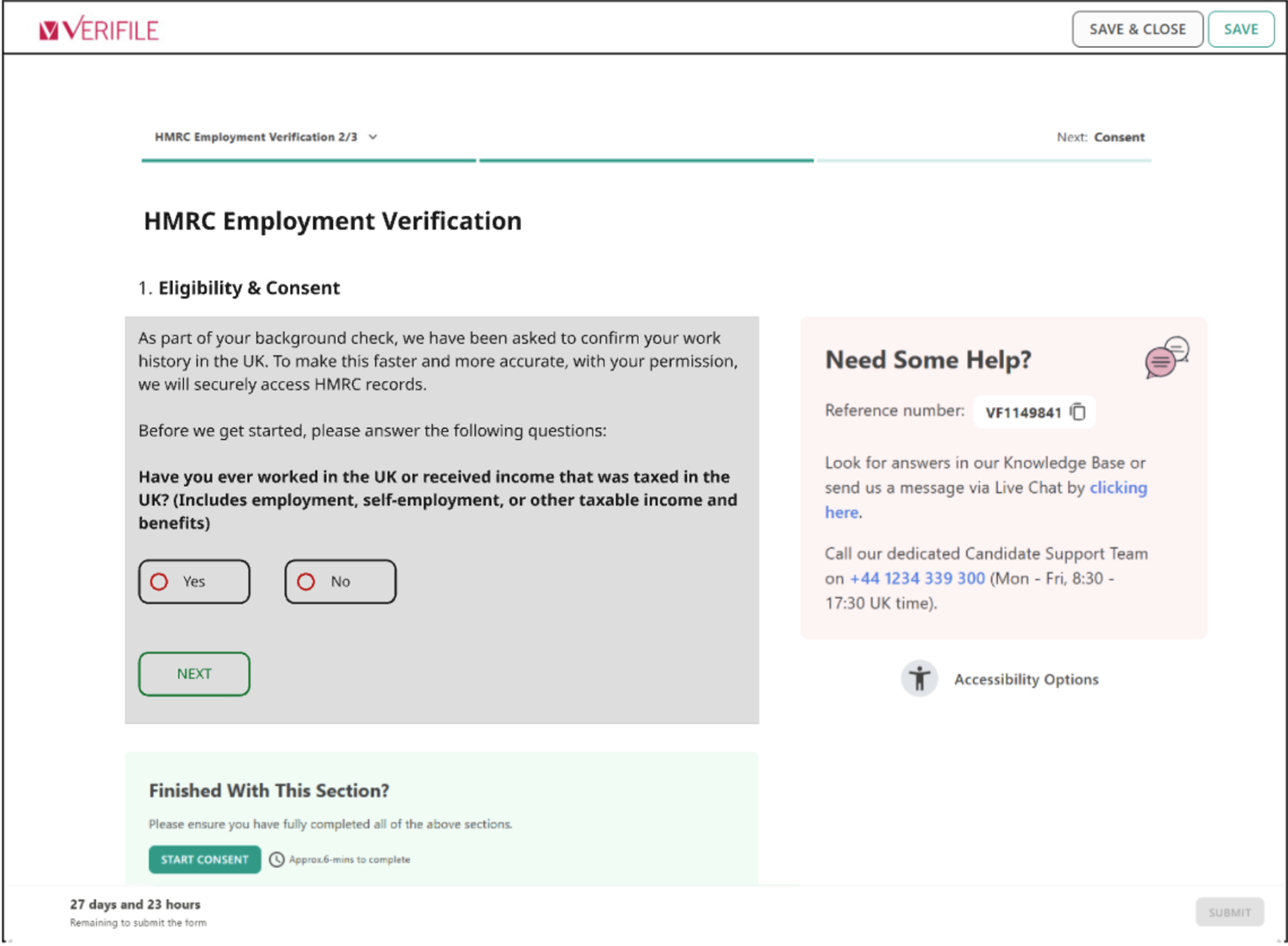
When first entering the check, the candidate will see the screen below.
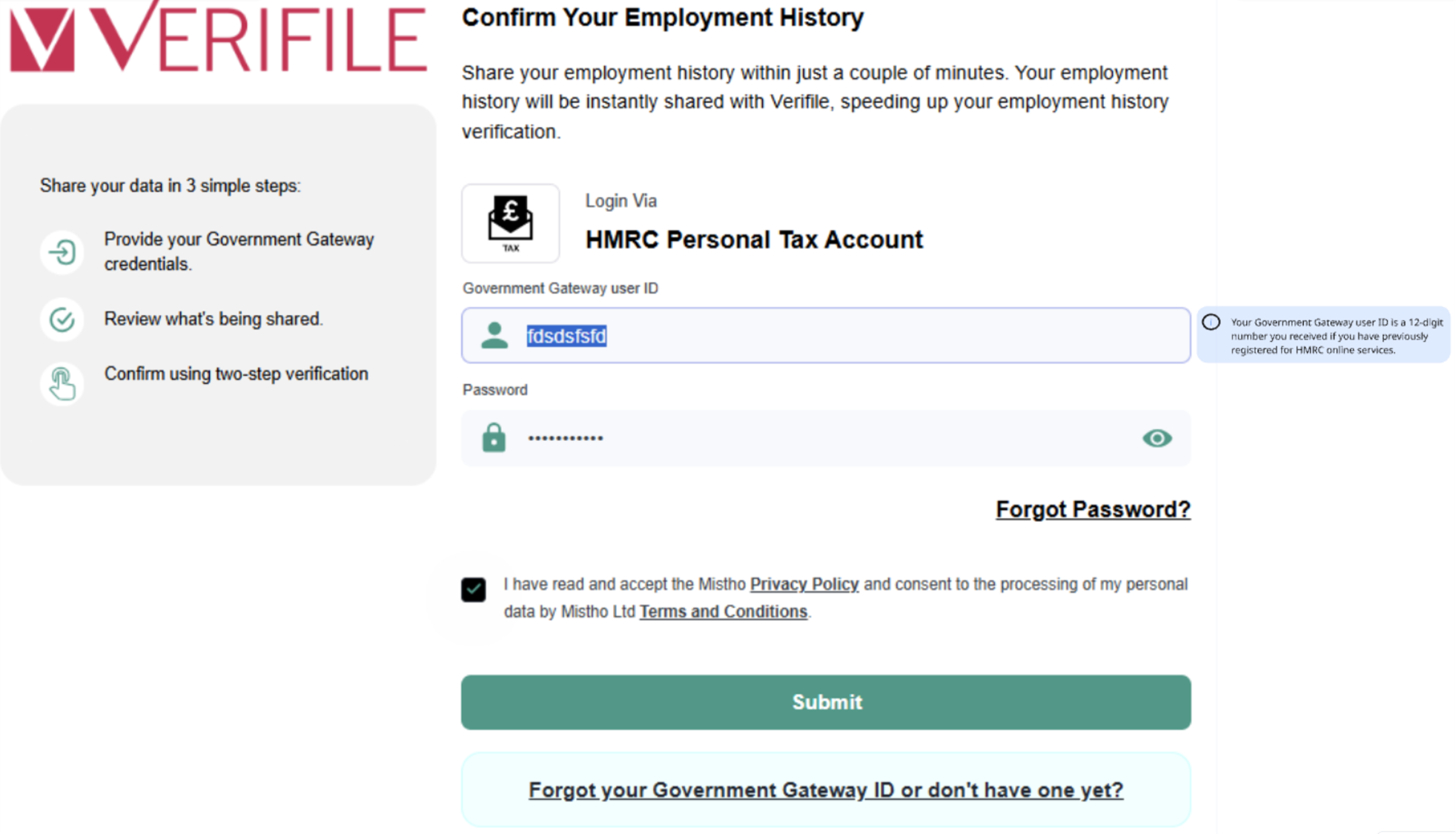
The candidate will be required to log in securely to their HMRC Personal Tax Account.
(Don't worry, we don't store their login details; these remain secure).
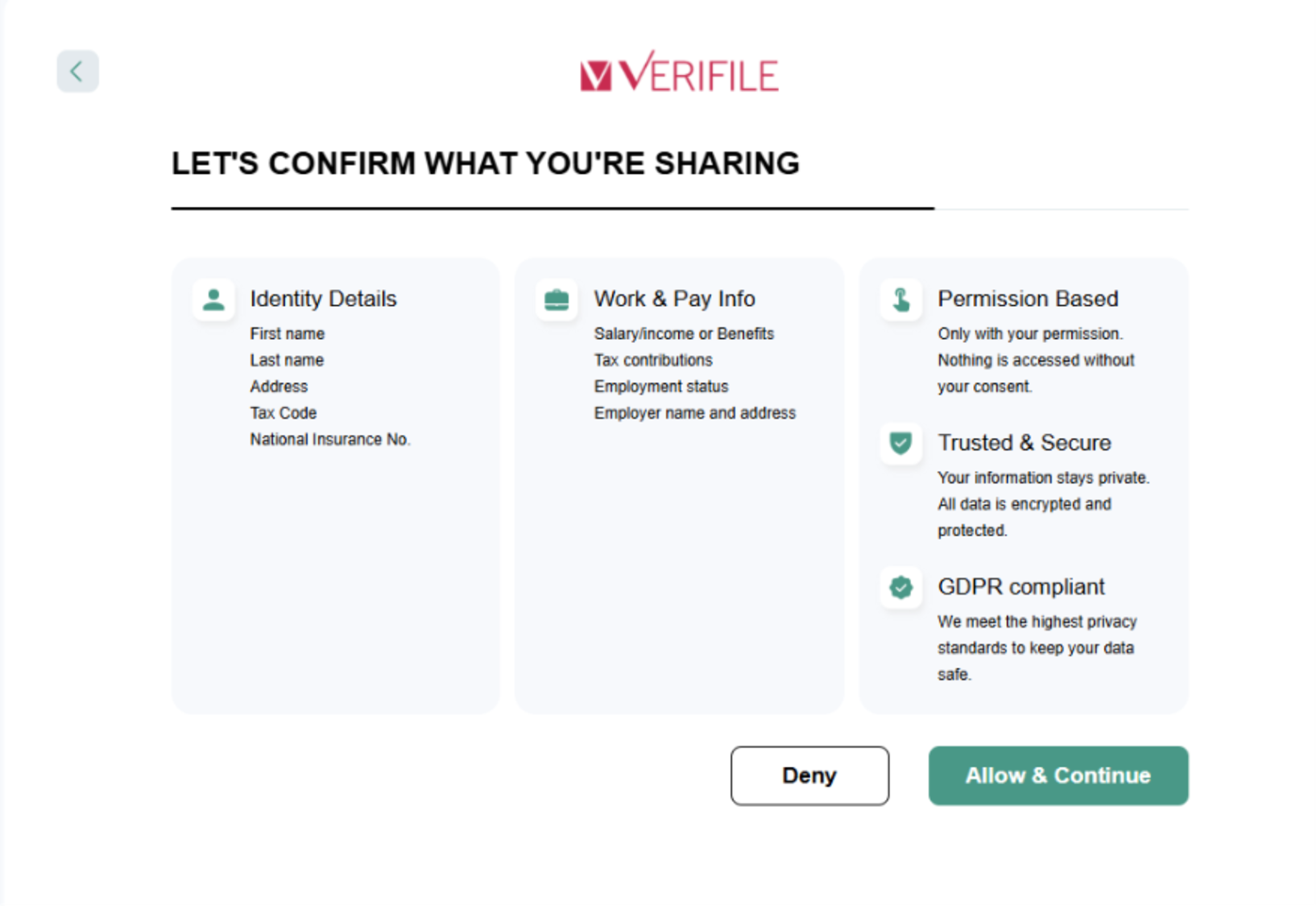
The next screen will confirm what the check is requesting that they should share with us and only for that purpose. Allow & Continue on this screen.

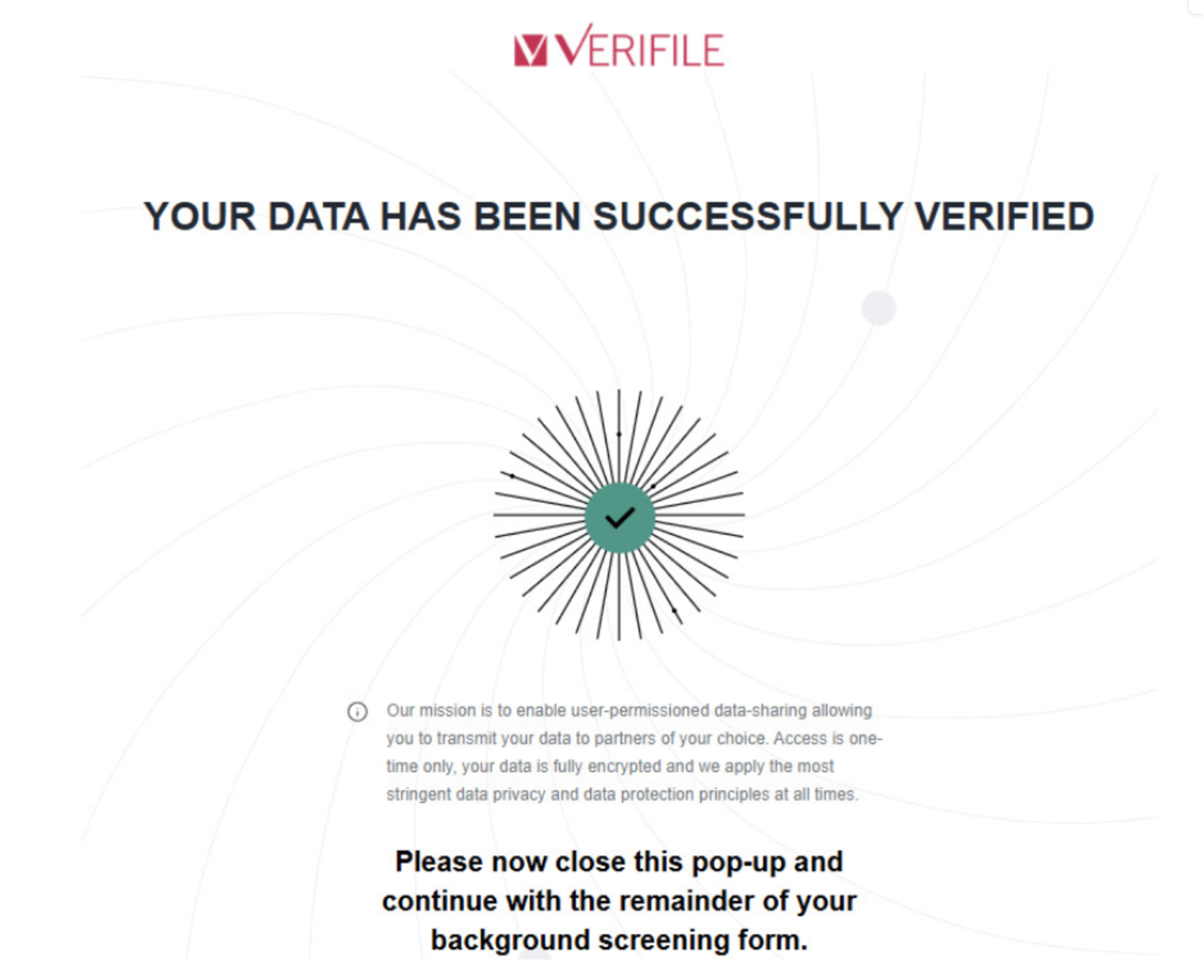
After a short period of syncing with HMRC, they should see the screen below.
Live Chat is available on the right, and you can self-serve via our Client Support Portal.
Call us at +44 (0) 1234 339 350 (Monday to Friday, 8:30 a.m. to 5:30 p.m. U.K. time).
Email service@verifile.co.uk.
We regularly update this content to ensure its accuracy and usefulness. If something doesn’t look right, click the feedback button below and let us know.
Was this article helpful?
That’s Great!
Thank you for your feedback
Sorry! We couldn't be helpful
Thank you for your feedback
Feedback sent
We appreciate your effort and will try to fix the article